
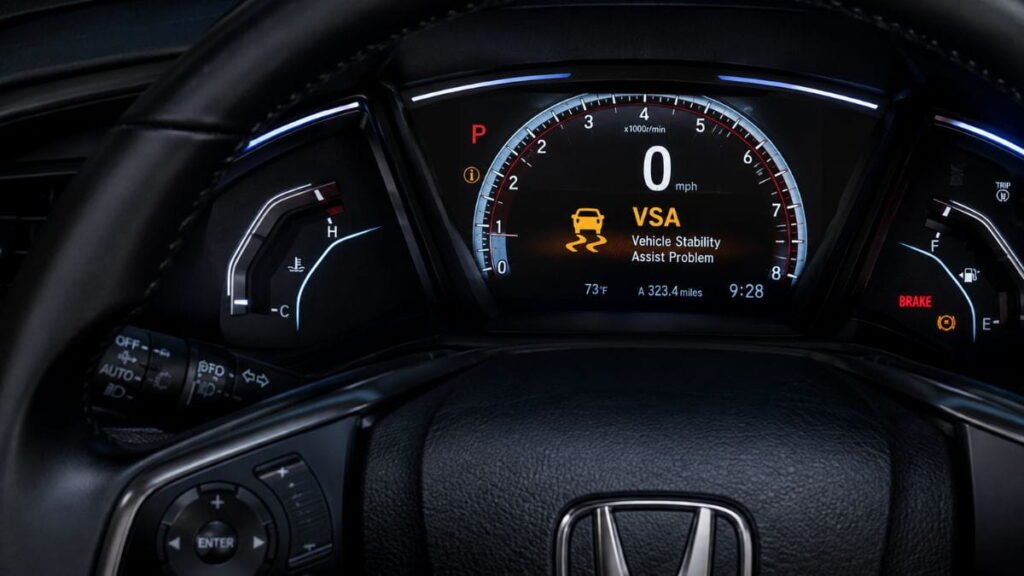
Seeing a solid vsa light appear on your Honda’s dashboard can be confusing and alarming for any driver. Whether the indicator is flashing while turning on slick roads or staying on continuously while driving, understanding what triggers this warning will help you respond safely and fix the root problem before it leads to costly repairs.
In this comprehensive guide, we will break down what Vehicle Stability Assist means, how the system works in Honda and Acura models, the top causes for dashboard warnings, and how you can troubleshoot and reset your vehicle right from home.
What is VSA in a Car?
VSA stands for Vehicle Stability Assist. It is Honda and Acura’s proprietary name for Electronic Stability Control (ESC).
The primary job of the system is to help drivers maintain steering control and traction during sharp turns, emergency swerves, or when driving on slippery roads. If your vehicle begins to lose grip or skid, the system activates in milliseconds to restore balance by automatically reducing engine power and applying individual wheel brakes.
How Does Vehicle Stability Assist (VSA) Work?
The stability system works continuously in the background alongside your car’s Anti-lock Braking System (ABS) and Traction Control System (TCS). It relies on a network of sensors across the vehicle:
- Wheel Speed Sensors: Measure the rotation speed of each wheel to detect slipping.
- Steering Angle Sensor: Monitors the direction you are pointing the steering wheel.
- Yaw Rate & Lateral Acceleration Sensors: Detect whether the car is spinning out or sliding sideways.
When these sensors detect a mismatch between steering input and actual vehicle direction, the system steps in to correct your trajectory.

Understanding the VSA Light on Your Dashboard
The stability warning on your Honda console behaves in three primary ways:
1. Blinking Indicator
A flashing icon (or skidding car graphic) means the system is actively working to help you maintain traction on a slippery road. You may notice reduced throttle response or slight automatic braking. This is normal behavior, not a system fault.
2. Solid VSA Light
If the vsa light stays lit continuously, it indicates that the system is either manually turned off via the dashboard switch or has shut itself off due to an internal fault.
3. Warning Symbol + Exclamation Triangle
If the primary warning is accompanied by an amber triangle with an exclamation mark, your vehicle’s stability control or braking system has detected a critical error requiring immediate inspection.
Common Causes of Stability System Malfunctions
If your dashboard warning stays on continuously, the issue is typically caused by one of the following factors:
- System Turned Off Manually: The VSA button near the steering column was accidentally pressed or brushed by a knee.
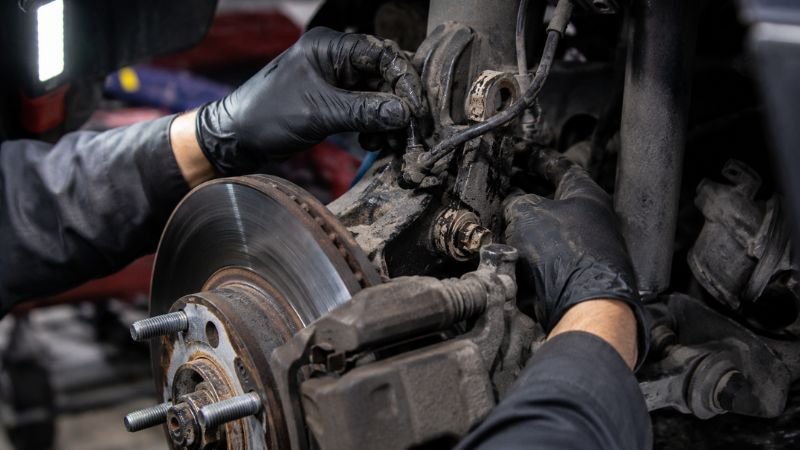
- Faulty Wheel Speed Sensors: Dirt, debris, or a failed sensor disrupts speed readings, automatically disabling traction assist.
- Steering Angle Sensor Calibration: Misaligned steering angle inputs following a wheel alignment or suspension repair.
- Unequal Tire Sizes or Pressures: Mismatched tire sizes or severe underinflation confuse the speed sensors. According to automotive experts at CarBuzz, using mismatched tires sends contradictory speed signals that force the controller to disable stability assist.
- Low Brake Fluid or Weak Battery: Low hydraulic fluid or a weak battery (voltage dips below 12.4V) drops voltage and triggers warning lights.
- Brake Light Switch Failure: A failed pedal switch is a very common trigger for a solid vsa light in older Honda Civic and Accord models.
- Rodent Damage to Wiring: Honda uses soy-based wiring insulation that can attract rodents to chew through sensor harnesses.
- VCM Misfires & Engine Codes: In V6 Hondas with Variable Cylinder Management (VCM), oil-fouled spark plugs cause engine misfires, which automatically trigger both the Check Engine Light and the vsa light.
Is It Safe to Drive With the System Warning On?
Yes, but with extra caution. When the vsa light is illuminated solid, your vehicle will still accelerate, steer, and brake normally under standard conditions. However, the automated stability and traction controls will not assist you if you hit a slick patch or make a sudden maneuver.
🚫 When You Should STOP Driving:
If the warning appears alongside the ABS Light, Brake Warning Light, or Transmission Light, pulling over safely and calling a towing or diagnostic service is strongly recommended.
(If you are looking to keep your vehicle’s paint and exterior as well-protected as its interior, check out our detailed guide on how much does ceramic coating cost or explore our step-by-step walkthrough on how to clean car carpet).
How to Fix and Reset the System (Step-by-Step)
Step 1: Check the VSA Off Switch
Locate the VSA OFF button on the driver-side dashboard. Press and hold it for 1 to 2 seconds to see if the vsa light turns off.
Step 2: Restart the Ignition
Pull over to a safe location, turn off the engine completely, wait 30 seconds, and restart the car. This reboots the electronic control module and often clears a temporary glitch.
Step 3: Check Tire Pressures and Tread
Ensure all four tires are identical in size and inflated to the manufacturer’s recommended PSI listed on your door jamb. Avoid running mismatched tire sizes.
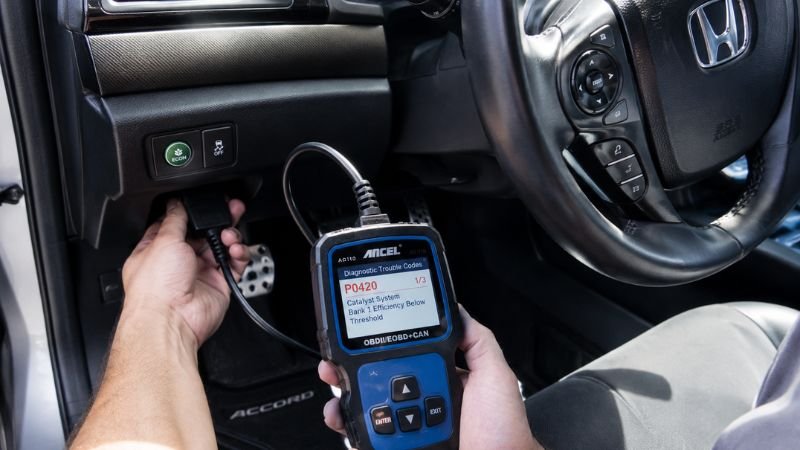
Step 4: Scan for Diagnostic Codes (OBD-II)
Plug an OBD-II scanner into the port beneath your dashboard to read stored ABS/VSA trouble codes. This eliminates guessing and isolates the exact faulty sensor triggering the vsa light.
Frequently Asked Questions (FAQs)
What does the VSA light mean on a Honda Accord or Civic?
The vsa light on a Honda Accord or Civic signals that the Vehicle Stability Assist system is either actively engaged (blinking) or has malfunctioned/been turned off (solid light).
How much does it cost to fix a VSA system issue?
Simple fixes like cleaning a sensor, replacing a wheel speed sensor, or changing a brake switch cost between $40 and $150. Fixing VCM misfires/spark plugs costs around $300–$500, while replacing a complex ABS/VSA modulator unit can exceed $1,500.
Why do drivers turn off VSA?
Drivers temporarily disable the system when trying to unstick a car trapped in deep snow, mud, or sand, where wheel spin is necessary to gain momentum.
Final Thoughts
Understanding the causes behind an active vsa light is key to keeping your Honda safe and reliable on the road. If your vsa light comes on and stays on, check your tire pressure, verify the VSA button status, and scan for codes to resolve the issue quickly.
Keeping your sensor system clean and staying on top of regular vehicle maintenance ensures your stability controls work perfectly whenever you need them most!